
Add your payment method
First-time setup — save a card or bank account from the Dashboard so you can pay invoices in one tap.
If you've never paid your daycare through NestliCare before, this is the one-minute setup. You save a card or bank account once, and every invoice after that is a single tap.
Nothing is charged during setup. You're only storing the method for future invoices.
Step 1 — Open the Dashboard
Open the NestliCare app and tap the Dashboard tab at the bottom of the screen. Scroll down to the Payments section and tap Set Up Payment Method.
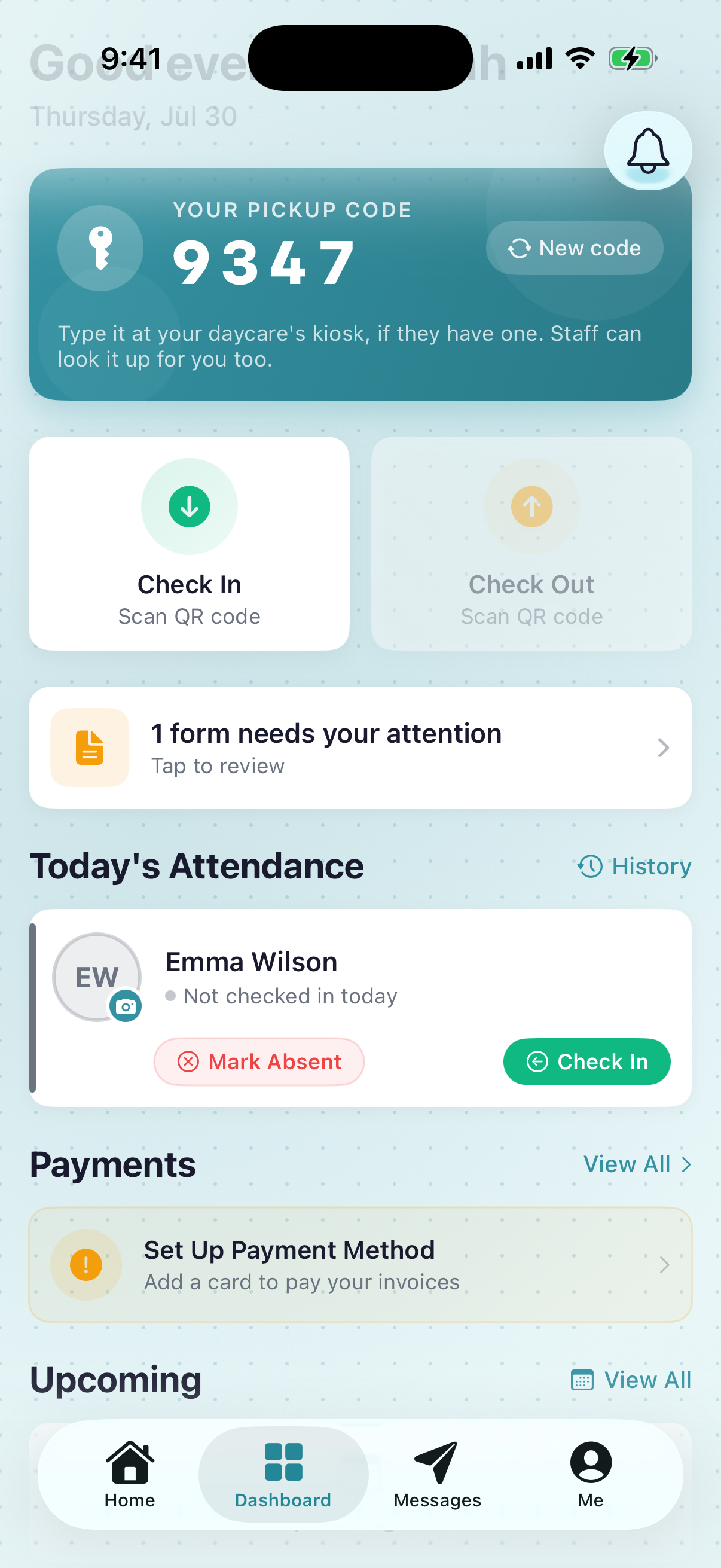
- 1Payments section header — tap View All to see every invoice
- 2Set Up Payment Method — the amber prompt with 'Add a card to pay your invoices' underneath. Tap it.
- 3Dashboard tab — where you start
This prompt only appears while you have no method saved. Once you finish setup it disappears, replaced by your amount due. The Dashboard prompt is the only place to start first-time setup — the Me tab shows your saved method but can't add one.
Step 2 — Tap Add Payment Method
The Payments screen opens. Tap the Add Payment Method button.
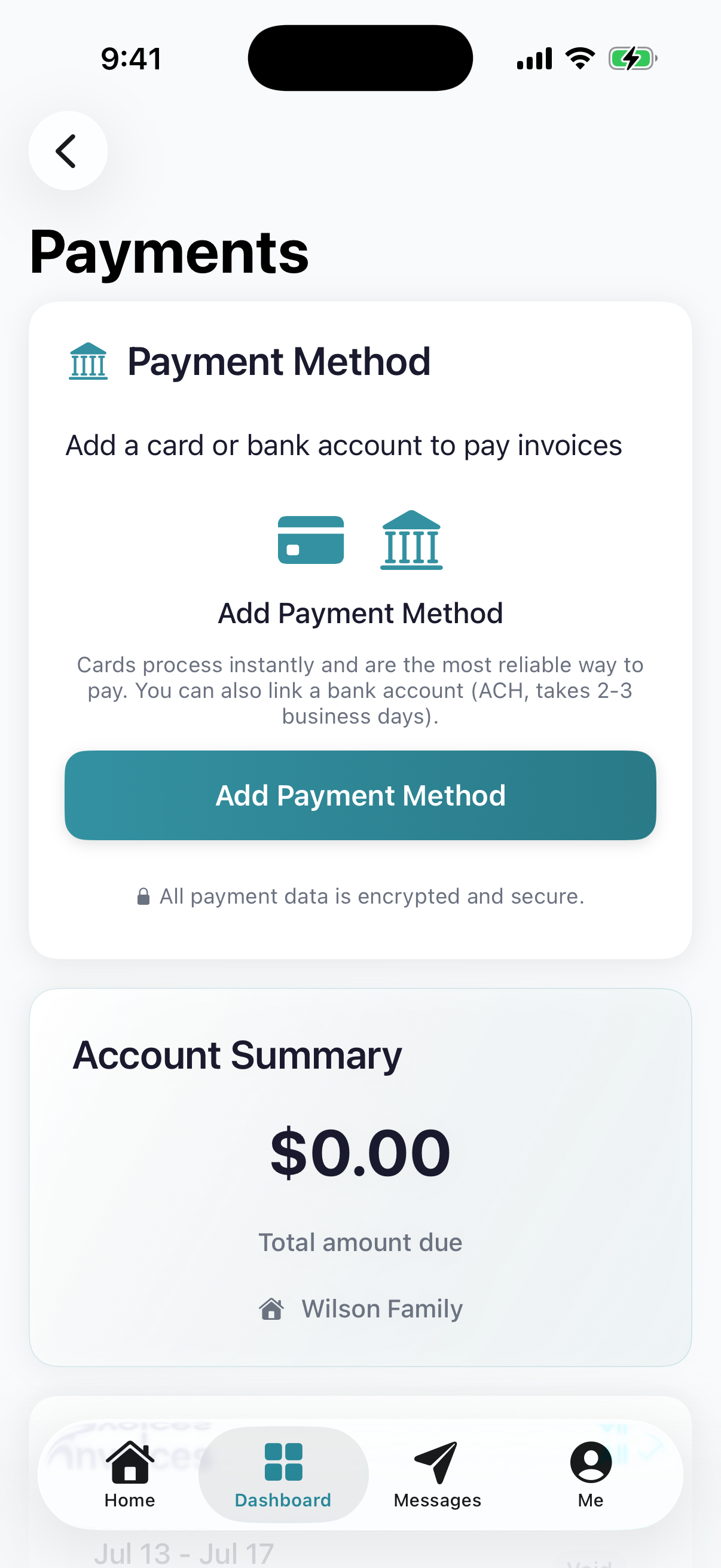
- 1Payment Method card — empty until you add one
- 2Add Payment Method button
- 3'All payment data is encrypted and secure' — your details go to Stripe, not to your daycare
Step 3 — Choose card or bank account
A secure Stripe sheet slides up. Pick Card or US bank account, enter your details, then tap Set up.
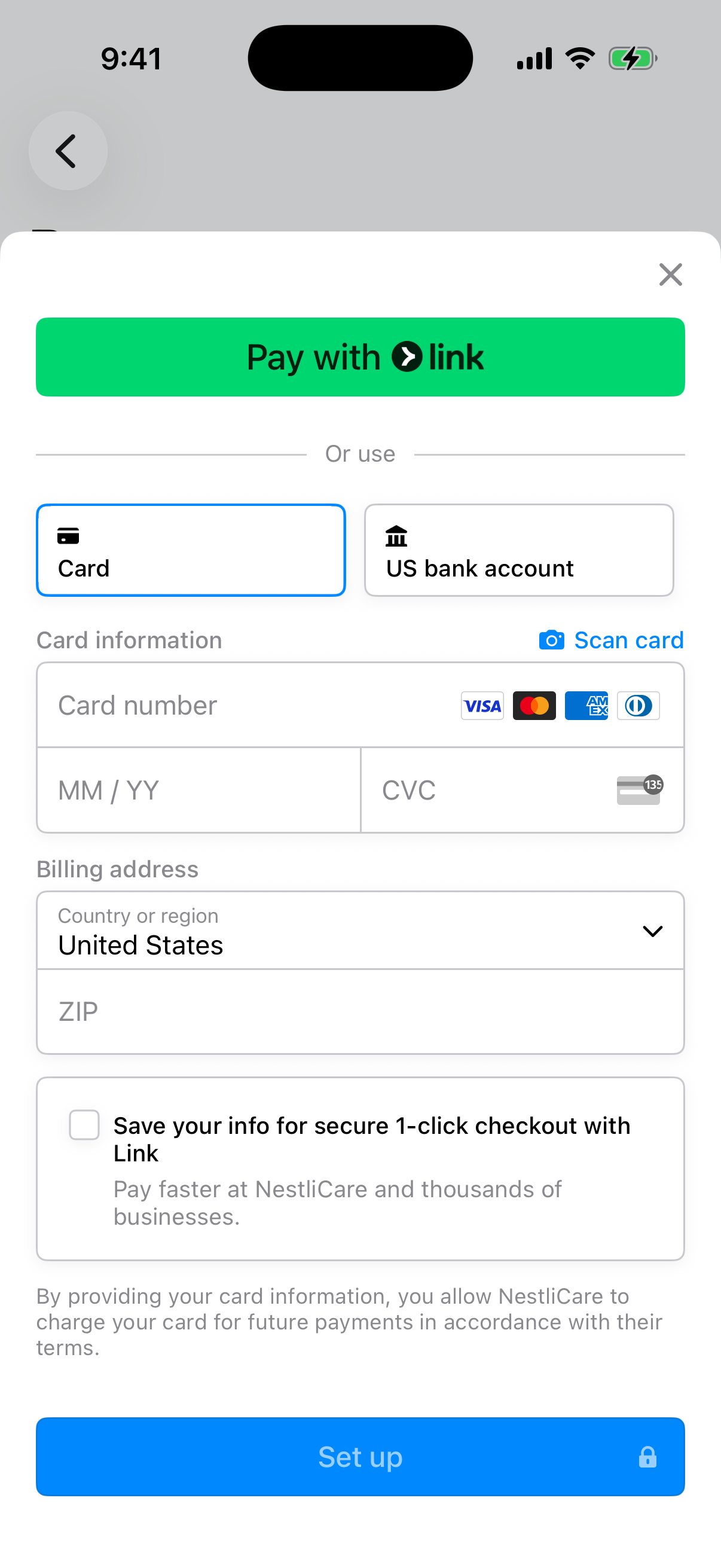
- 1Card — instant, works immediately
- 2US bank account — cheaper, takes a few business days to clear
- 3Set up — saves the method. Nothing is charged now.
That's it. Your invoices can now be paid in one tap. See Pay an invoice for what happens next, or turn on auto-pay so you never think about it again.
Card or bank account?
| Card | Bank account (ACH) | |
|---|---|---|
| Speed | Instant | 3 to 5 business days to clear |
| Fee | Higher | Lower |
| Best for | Getting it done now | Saving money over a year |
If your daycare passes the processing fee to families, the bank account option is meaningfully cheaper on every payment. The exact fee is always shown before you confirm a payment, so you'll never be surprised by it.
Troubleshooting
I don't see "Set Up Payment Method" on my Dashboard. Either your daycare hasn't turned on online payments yet (ask them, they pay their tuition another way in that case), or you already have a method saved. Check the Me tab → Payment Method to confirm.
"This card was declined." Your bank blocked the charge. Call them or try a different card. We can't override a decline.
My bank account says "micro-deposits pending." Normal. Stripe sends two tiny deposits to your account, and once they land in 1 to 2 business days you confirm the amounts to finish verification. Watch for an email with instructions.
I'm a limited-access family member and don't see Payment Method. Limited-access members (grandparents, sitters) can't manage payments. The primary parent handles billing.
I saved a method on my phone but the web page still asks me to add one. Refresh the page, or sign out and back in.