
Set a staff member's pay rate
Set hourly or salaried pay for each staff member so payroll runs work out their pay correctly.
Pay rates live on the staff record. Timesheets hold hours only. The rate is read when you generate a payroll run, so a new rate applies to the next run you generate.
Set a pay rate
- Go to Staff & Time → Staff.
- Click the pencil (Edit) on the staff member's card.
- Scroll down to Pay Type and pick Hourly or Salary.
- Enter the Hourly Rate, or the Annual Salary if you picked Salary. The form shows only the field that matches the pay type.
- Click Save Changes.
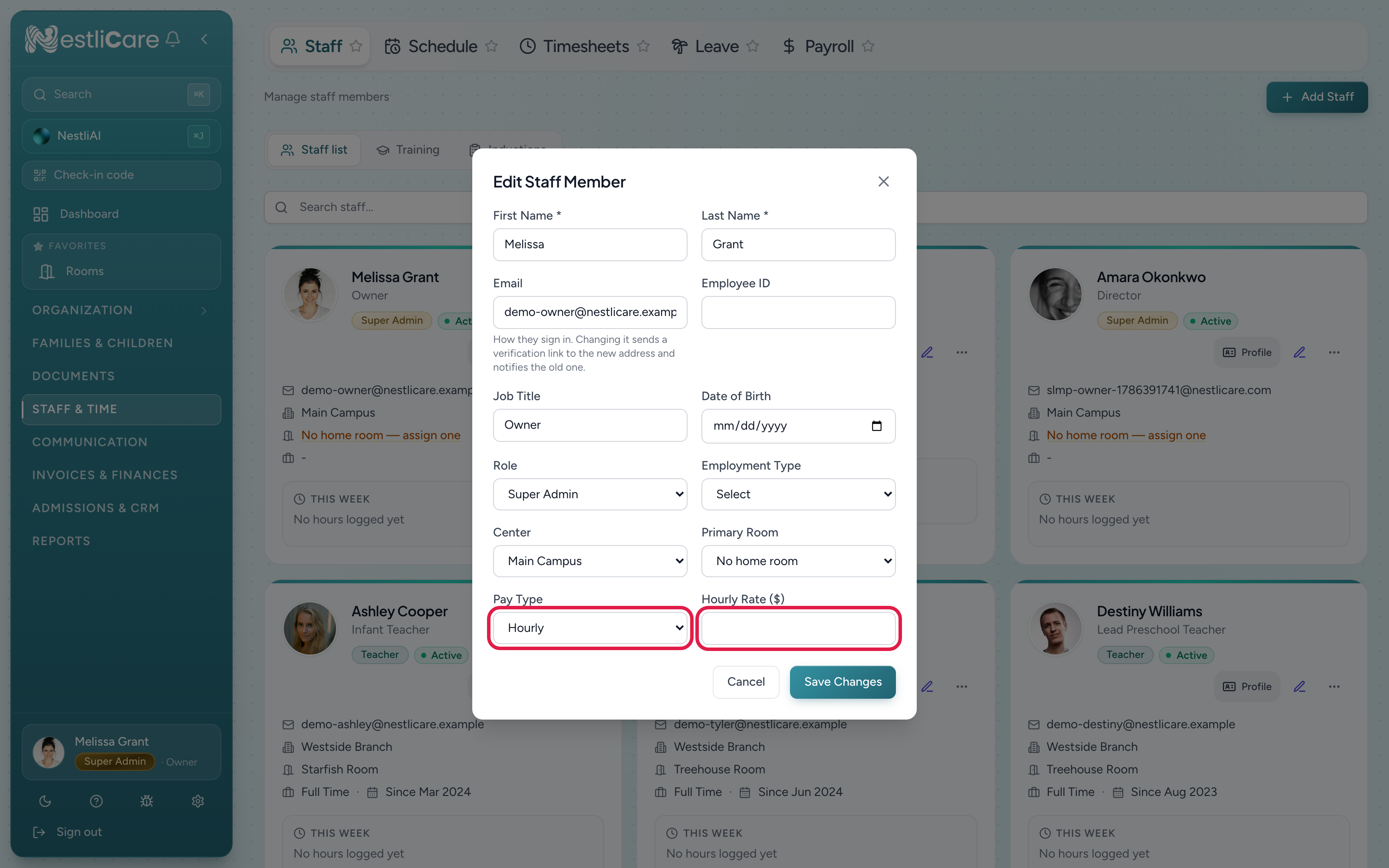
- 1Pay Type: Hourly or Salary. Picking Salary swaps the rate field for an annual salary, divided evenly into pay periods
- 2Hourly Rate: what this person earns per hour
To see who still needs a rate, open Staff & Time → Payroll → Settings. The Staff Pay Rates bar shows how many people are set up.
Hourly or salary
- Hourly: pay is hours worked times the rate. Hours past 40 in a week are overtime, paid at the Overtime Multiplier in Staff & Time → Payroll → Settings. Paid leave days are paid at the hourly rate, using PTO Hours per Day.
- Salary: the annual salary is split evenly across the year's pay periods. Hours don't change the amount. Timesheets still track their time.
If a salaried person does extra work, such as covering a shift, add an adjustment to their line in the payroll run instead of changing their pay type.
When a new rate takes effect
A new rate applies to the next payroll run you generate. Runs you already generated keep the rate they were made with.
To pay someone extra for the period they're in now, open the Draft payroll run, click Edit Payroll, and use Add Adjustment on their line. See Run payroll and export it.
Who can change a pay rate
Owners, super admins and center admins can edit pay rates. Only owners and super admins can run payroll.
Teachers can't see or change pay rates. When Payroll is on, they see their own pay stubs under Staff & Time → My Pay.
Troubleshooting
A payroll run used the old rate. The run was generated before you changed the rate. If the run is still a Draft, add an adjustment to that person's line. Otherwise, Void the run and generate it again.
Someone's pay is $0. They have no rate set, or their pay type is Hourly with no hours finalized. Check their staff record and their timesheets.
I can't find the Payroll tab. Payroll is off. The owner turns it on in Settings → Features → Payroll.