
Change your organization name and timezone
Edit your organization's name and timezone under Settings → General, see who can change them, and why the timezone affects times already recorded.
Your organization is the top level of your account. One or more centers live under it. You change its name and timezone on the web, under Settings → General, in the Organization card.
Change the name or timezone
- Go to Settings in the sidebar.
- Stay on the General tab. The Organization card is at the top.
- Edit Organization Name or Timezone.
- Click Save Changes.
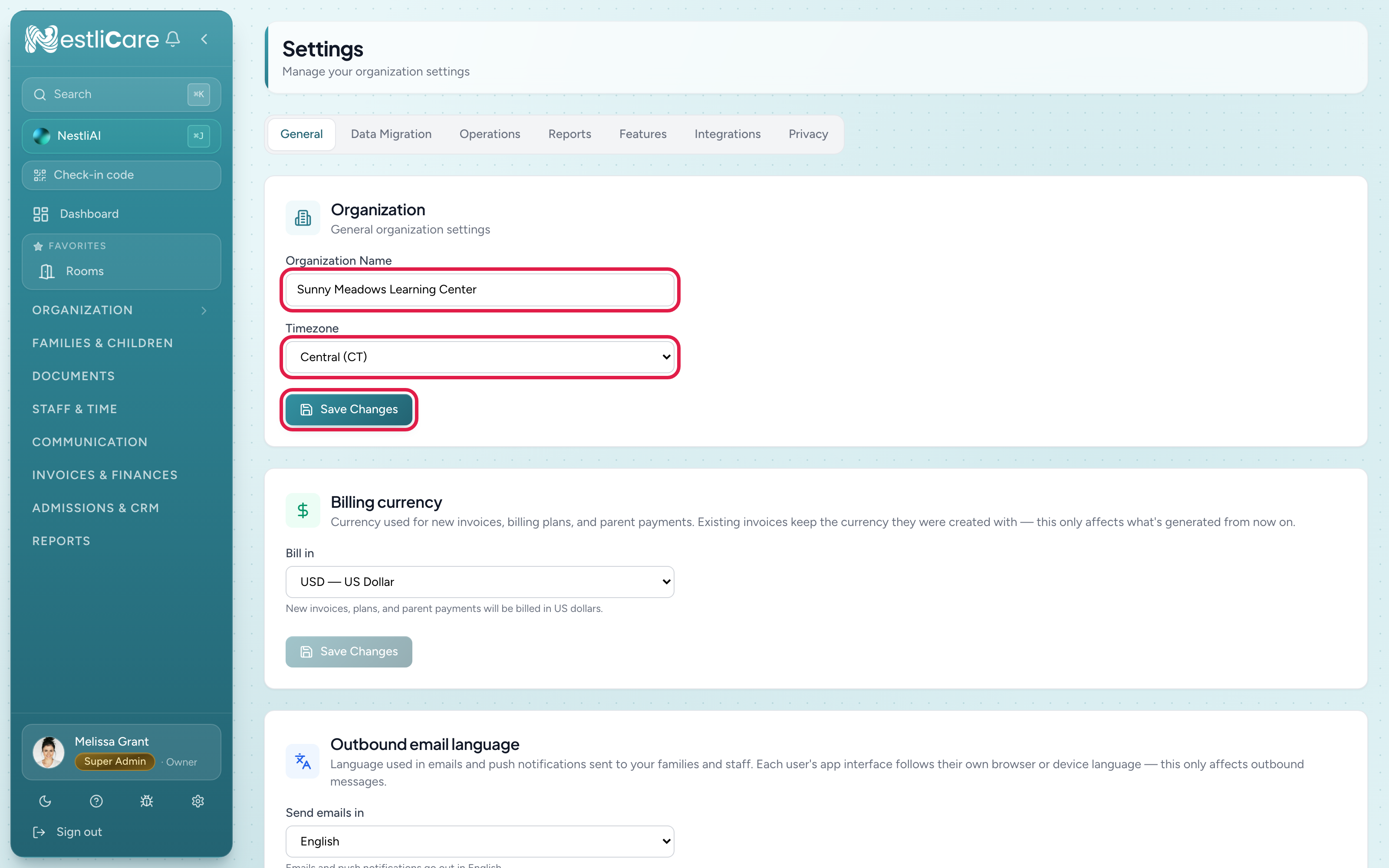
The Timezone list shows plain names such as Eastern (ET), Central (CT), Mountain (MT), Pacific (PT), Arizona (no DST) and Indiana — Indianapolis, plus other US, Canadian and world timezones.
Pick the one where most of your centers are. A center in a different timezone can set its own. See Edit center details.
In the app, owners can see the name and timezone under Admin → Settings, but changing them is on the web.
Who can edit
- Owners, super admins and center admins can change the organization name and timezone.
- Owners only see and change the other cards on the General tab: Billing currency, Outbound email language and Legal & registration (country, tax ID, legal name and address). See Countries and currencies.
What's not here
- Logo: your logo lives on your hosted enrollment page, per center: Admissions & CRM → Enroll Page → Hosted Page → Branding → Upload logo, then Save (web only; with several centers, pick the center first). It shows on that public page. It doesn't appear on invoices, emails, or the parent app. The Inquiry Form section has its own Logo URL box for the top of the form.
- Contact info: set per center. See Edit center details.
- Billing for NestliCare itself: there isn't any. NestliCare is free at the organization level, so there's no plan or subscription screen to find. See Pricing.
Troubleshooting
Old check-in times look an hour off after I changed the timezone. That's expected: past times now show in the new timezone. If your timezone was wrong before, set the correct one and check a few recent records.
I can't change the billing currency or tax details. Those are for the owner only.
I want to change the name from my phone. The app shows the name and timezone but doesn't change them. Use the web dashboard.