
Charge a late pickup fee
A per-minute fee when a child is picked up after your cutoff, computed automatically from real check-out times — with a grace period and a daily cap.
When a parent arrives at 6:20 for a 6:00 close, most centers charge for it — a dollar a minute is common. NestliCare computes that fee from the check-out your staff already record, so nobody keeps a clipboard by the door: set the cutoff and the rate once, and late pickups turn into invoice lines on their own.
This is a different thing from the late payment fee on the same page, which is about invoices paid late. This one is about children collected late.
Set up the fee
- Go to Invoices & Finances → Billing → Late Fees.
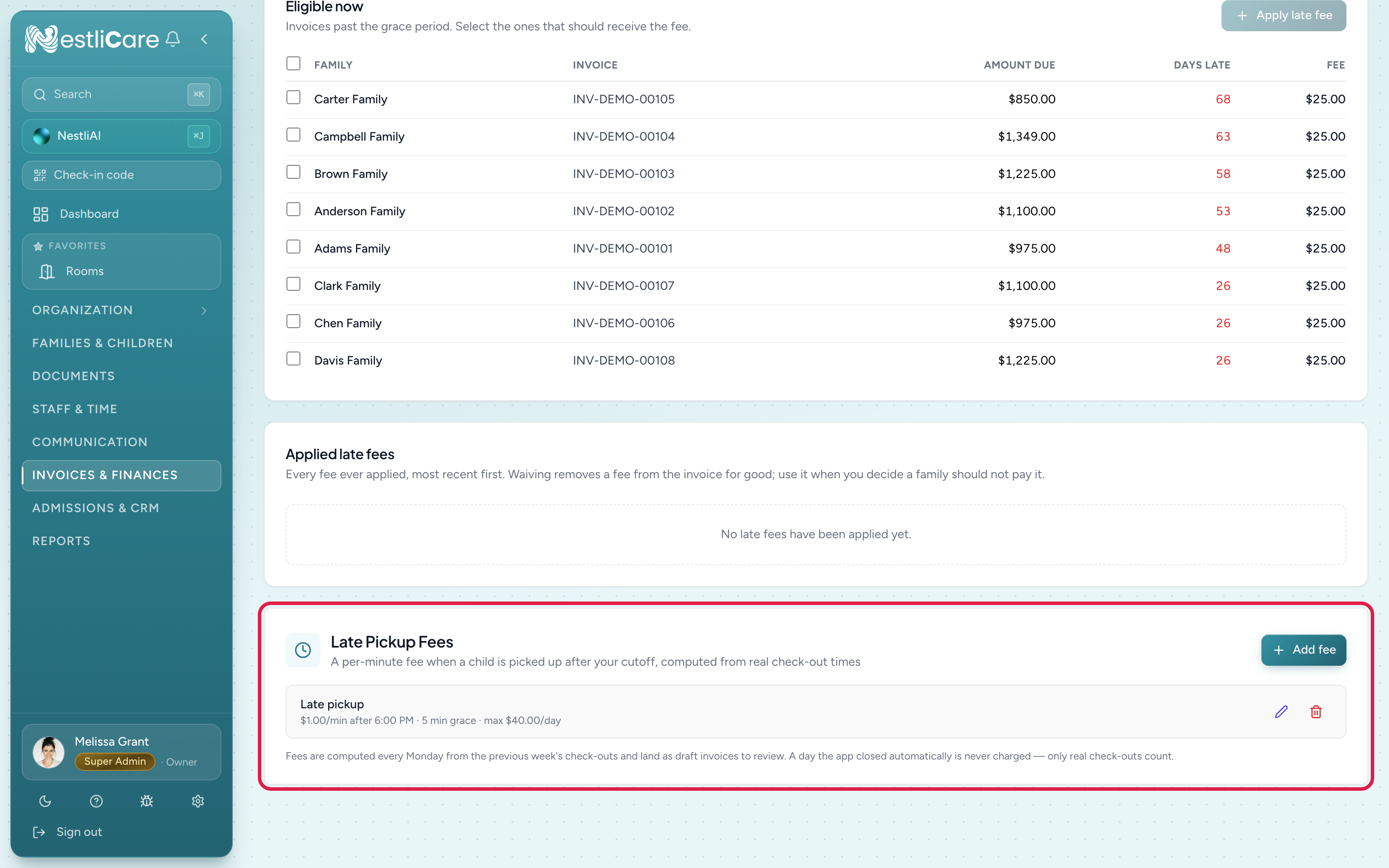
- In the Late Pickup Fees card, click Add fee.
- Fill in:
- Name — what the invoice line says, e.g.
Late pickup. - Charged after — your cutoff, e.g. 6:00 PM. Times are read in each center's own timezone.
- Rate per minute — e.g. $1.00.
- Grace period (minutes) — free minutes past the cutoff before the fee triggers. A pickup inside the grace costs nothing; one past it is charged from the cutoff, not from the end of the grace.
- Daily max (optional) — the most one child can be charged in a day.
- Name — what the invoice line says, e.g.
- Click Add Fee.
The rule applies to every room, and it covers the whole billing week it lands in: add it on a Thursday and Monday's draft prices that week's late check-outs from Monday onward. Weeks already invoiced are never touched. Owners and center admins can both set up these fees. If you'd rather start fresh, add the rule on a Monday after your drafts have generated, or remove the earlier lines from the draft before sending.
How it's charged
Each Monday, NestliCare walks the previous week's check-outs. For every one past your cutoff (and beyond the grace), it prices the minutes and puts a fee line on that family's attendance-billing invoice — the same weekly draft that carries hourly tuition if you use it. A family with neither an hourly plan nor any other charges gets a small invoice with just the fee.
The line spells out exactly what happened, so the conversation with the parent is already had:
Maya Okafor — Late pickup — Aug 6 — picked up 6:47 PM, 47 min @ $1/min
Two safeguards are built in and not configurable:
- These invoices are always drafts. Nothing is sent to a family until you look at it, even if Auto-Send is on for your regular billing.
- A guessed check-out is never charged. If a teacher forgot to sign a child out and NestliCare auto-closed the day at your usual closing time, that day is skipped. Only a real check-out can trigger the fee. That also means a missed sign-out costs you the fee revenue — one more reason to fix those records, then have the owner use Recalculate from attendance on the draft. Only the owner can recalculate or edit an invoice.
Fees and hourly plans stack
If a child is on an hourly plan, time past the cutoff is billed twice on purpose: once at the hourly rate (that's care) and once at the fee rate (that's the deterrent). If you'd rather not stack them, set the fee's cutoff later than your hourly families typically stay.
Edit, pause, or remove
Click the pencil (Edit fee) on the fee's row in the Late Pickup Fees card. Unchecking Fee is active pauses it; removing it stops new charges immediately. Either way, fees already on invoices are untouched.
Troubleshooting
A family was charged but says they were on time. Open the invoice line — it names the day and the exact recorded pickup time. If the check-out record is wrong, fix it on the child's attendance (Fix an attendance mistake), then the owner opens the draft and clicks Recalculate from attendance. If it already went out, adjust the invoice like any other.
A known late pickup wasn't charged. Three usual causes: the check-out was missing or auto-closed that day (only real check-outs count), the pickup was inside your grace period, or the fee was added after that week already generated.
The fee looks capped. The line says (capped) when the daily max kicked in. Raise or clear the max on the rule for future weeks.
We close earlier on Fridays. A rule has one cutoff. Practical options: set the cutoff to your latest closing time, or keep the single cutoff and waive the odd Friday fee by editing the draft before sending.
Related
- Bill by the hour from attendance — hourly tuition on the same weekly draft
- Charge a late fee — the other lateness: invoices paid late
- Fix an attendance mistake — correcting check-outs before you recalculate