
Run the CACFP meals report
See meal counts by type and day, and how many meals are marked claimable. A quick count for planning, not the numbers you put on your CACFP claim.
Reports → Meals (CACFP) gives you a quick count of the meals your team logged: how many of each type, day by day, and how many are marked claimable. Use it to spot gaps and plan food costs.
The report only appears for daycares in the United States.
Run it
- Go to Reports in the sidebar and pick Meals (CACFP) under Operations.
- Pick a center (or all centers), a room if you want one, and a date range.
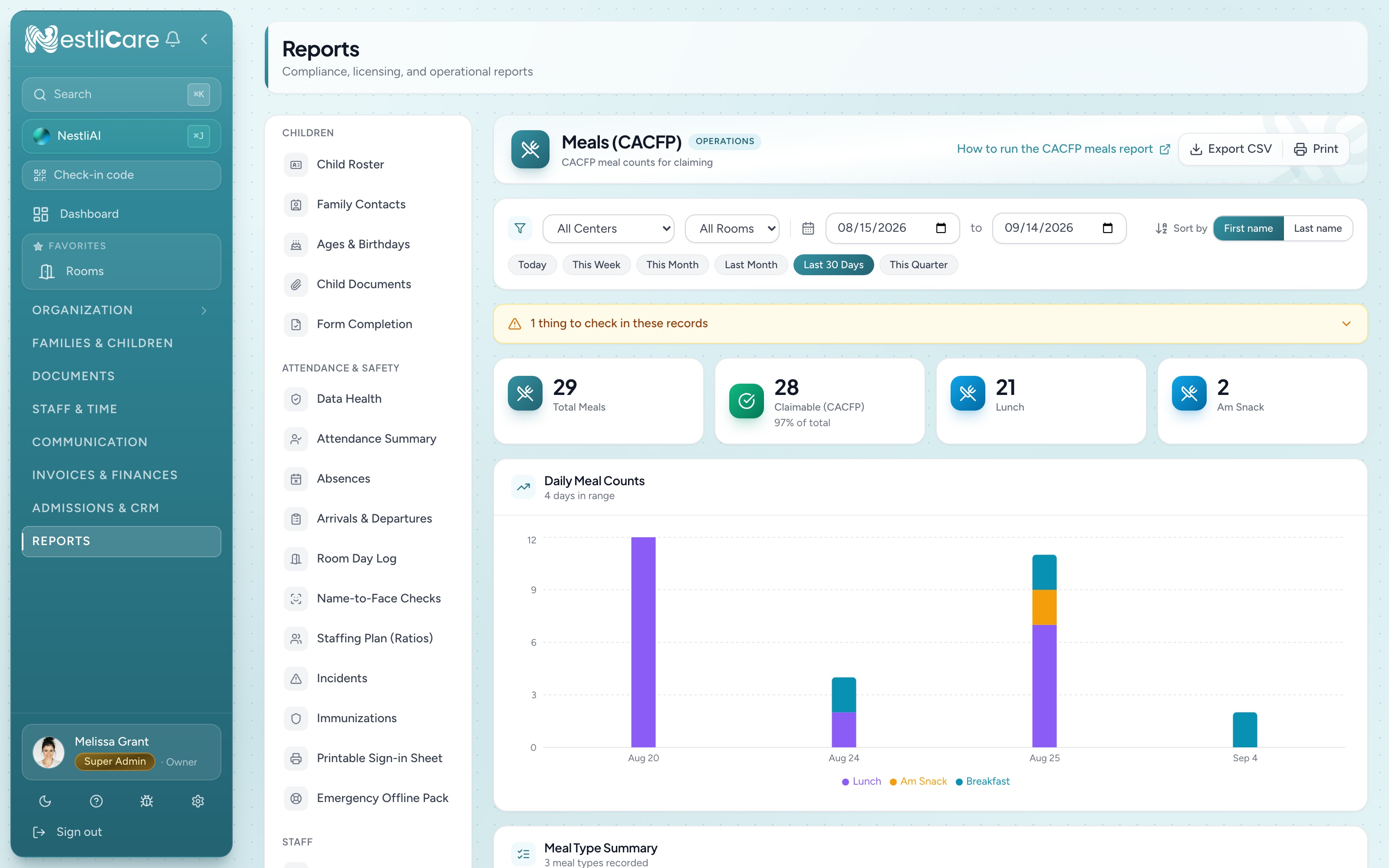
What the numbers mean
- Total Meals: every meal logged in the range.
- Claimable (CACFP): meals whose Claimable switch is on. Turn it off for a meal you won't claim (a birthday treat, for example) in Organization → Meals → Records.
- One card per meal type: Breakfast, AM Snack, Lunch, PM Snack and Dinner.
If some meals were logged with no foods listed, a yellow note at the top says how many and links to those records. Meals with no foods can't show a meal pattern, so add the foods before you claim.
Good uses for this report
- Spot missing logs. A day with no lunch count usually means a room forgot to log it.
- Plan food costs. Export a month, then multiply each meal type's count by what that meal costs you.
- Check your logging habits before month-end, then do the real claim on the CACFP tab.
Export and print
- Export CSV downloads a spreadsheet of the report's rows.
- Print prints the page as you see it.
You can also add notes for a period at the bottom of the report, such as "Spring break week, fewer meals expected."
Troubleshooting
This report and my claim summary don't match. That's expected. The claim summary on Organization → Meals → CACFP leaves out meals with no check-in that day, extra meals over the daily limit, duplicates and children not enrolled in CACFP. This report doesn't. File from the claim summary.
I don't see this report. It only shows for organizations in the United States. Your country is under Settings → General → Legal & registration (owners only).
I want per-child CACFP detail. Use Organization → Meals → CACFP and Export per-child detail CSV under Claimed Meals by Day.
I need to check meals against the meal pattern. Use the Menu Record on the same CACFP tab. It grades each meal against the federal pattern.