
Post a photo to the daily feed
Share a moment from the day — a single child or the whole room — with photos and a caption.
Photos are the easiest way to make parents feel present with their child during the day. Keep it to one or two a day per child — more is noise, less is a complaint waiting to happen.
Post for one child
- Open the Dashboard tab.
- Tap Photo. It's one of the four tiles under the Quick log bar.
- Tap Take Photo, or Choose from Library (iPhone) / Choose from Gallery (Android).
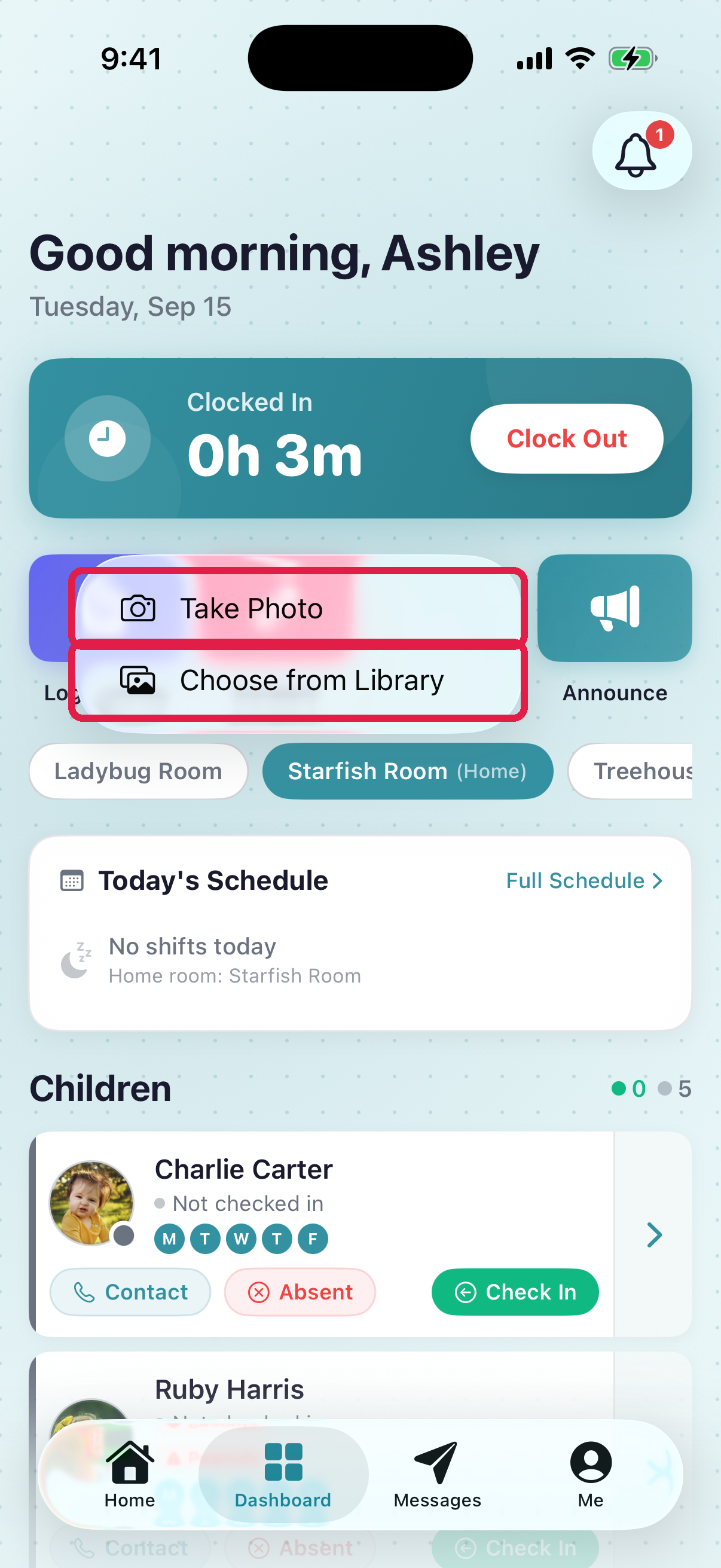
- 1Take Photo — opens the camera, saves directly to the post
- 2Choose from Library — pick an existing shot from your phone
- The Log Activity screen opens with "Photo" preselected and your image attached.
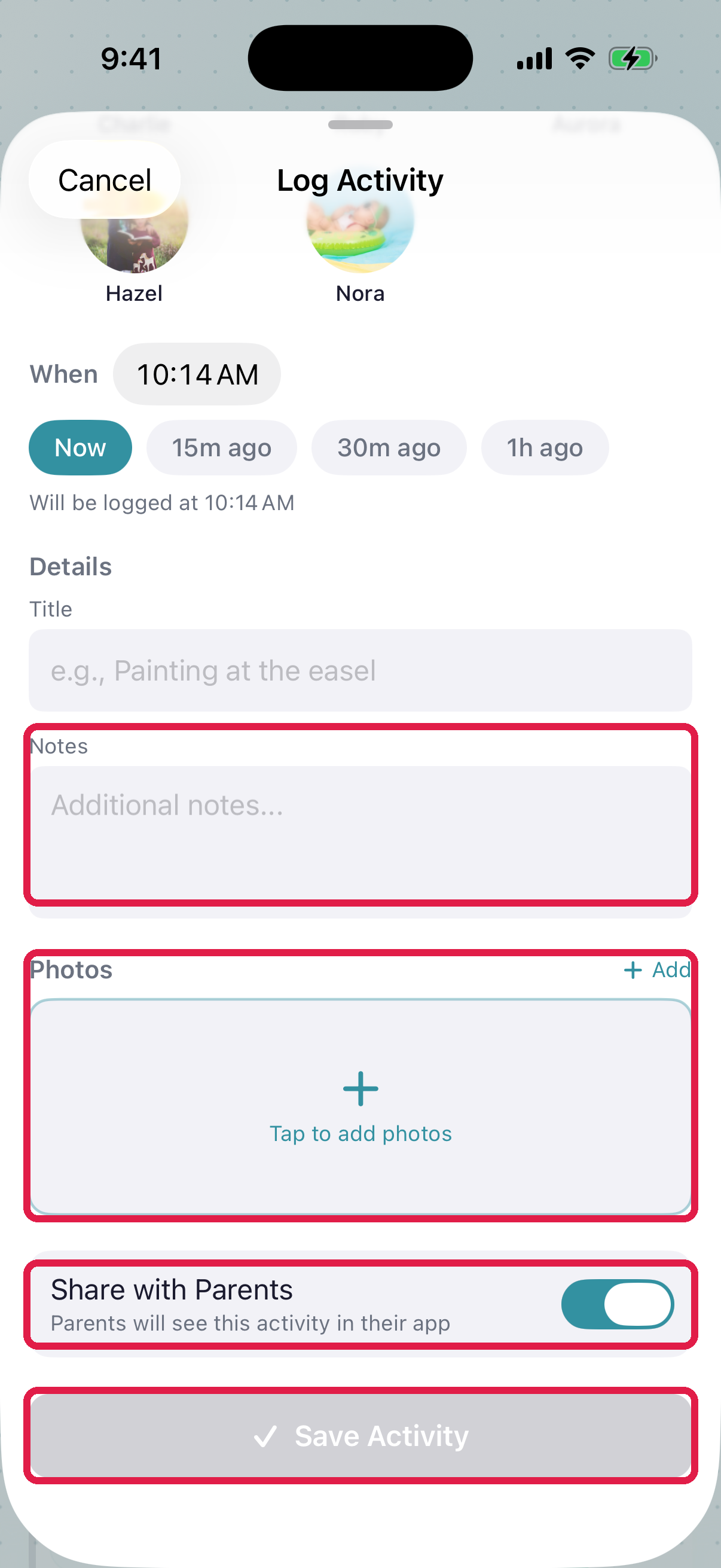
- 1Photos — up to 5 per post. Tap Add for more. Uploads run in the background with a spinner
- 2Notes — the caption for the photo ('Block tower time!'). Parents read this as much as they look. The activity type, room pills and child avatars sit above this, at the top of the sheet
- 3Share with Parents — on by default
- 4Save Activity posts it to the feed
- Tap each child who's in the photo.
- Add a caption in Notes.
- Tap Save Activity or Log for N Children.
Post for multiple children at once
The same screen handles multi-child — just tap each child's avatar on the Children grid. Use Select All if the whole room is in the photo.
Each tagged child gets the photo in their feed. Only parents of tagged children see the photo — parents of untagged children never see it, even if their child is visible in the background.
Good photo captions
- Short: 1-2 sentences, not an essay.
- Specific: "She mastered climbing the big slide today!" > "Good day at the park."
- Warm: use the child's name. Parents love seeing their kid's name in writing.
Troubleshooting
Upload stuck on the spinner. Usually a wifi glitch. Check your connection, then remove the photo and add it again before you tap Save Activity.
"No photo consent yet" with a child's name. That family hasn't given photo permission. The post won't save with that child tagged. Unpick the child, or ask your director to check the family's photo permission.
There's no Photo tile. Your daycare has photo sharing turned off. Ask your director.
Typo in the caption. Tap the pencil on the card and fix it. See Edit or delete an activity after it's posted.
Wrong child tagged. You can't change the child on a post. Delete that child's entry and post again for the right child.
Photo looks rotated wrong. Delete the entry and post the photo again.
Parent says they didn't see the photo. Check Share with parents on the entry. If it's on and they still don't see it, the family's push notifications might be off. They can still see it when they open the app.