
Add a center
Create the first center in your organization, or add an additional location if you operate multiple sites.
A center is a physical daycare location. Most organizations have one. Multi-site organizations have several — each with its own rooms, staff, and attendance.
Add a center
- Go to Organization → Centers in the sidebar.
- Click Add Center in the top right.
- Fill in the form.
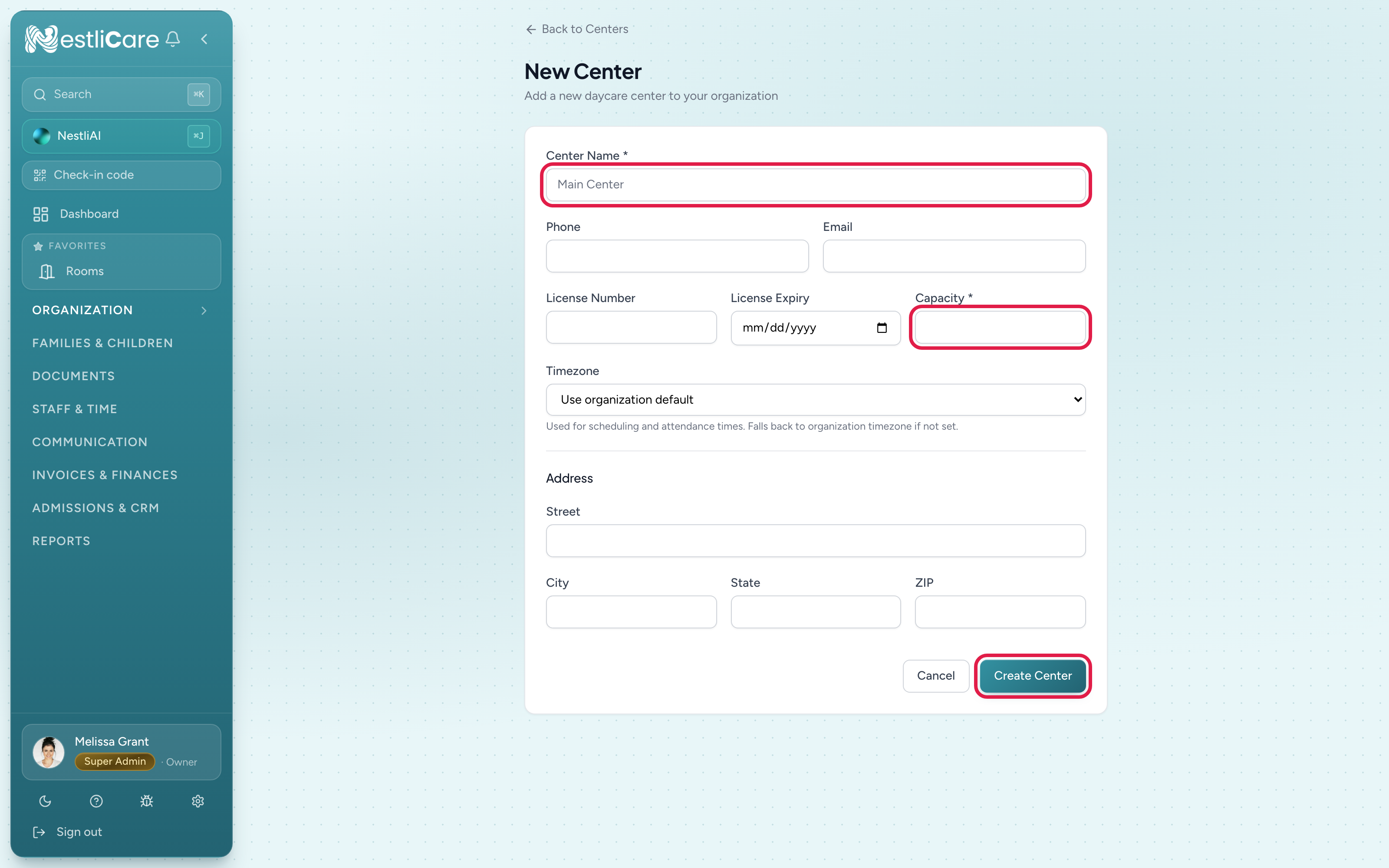
Click Create Center. You go back to the Centers list. Open the new center's card to add rooms.
Required vs optional
Required: Name, Capacity.
Everything else (phone, email, license, timezone, full address) is technically optional. In practice you'll want license number + expiry filled in for state compliance, and timezone set so scheduling and attendance times are right.
Timezone
The timezone list has three groups: United States, Canada and Other. The common US zones (Eastern, Central, Mountain, Pacific, Alaska, Hawaii, Arizona) sit at the top of the United States group. The Indiana, Kentucky and North Dakota zones are further down in the same group.
Leave it blank and the center inherits your organization's timezone, which is what you want when every site is in the same region.
Next steps
With the center created:
- Add rooms — see Add a room. Rooms hold your enrollments and the ratios you report to licensing.
- Invite staff — see Invite your team — assign them to this center.
- Set up the kiosk — see Set up kiosk mode for drop-off and pickup.
Troubleshooting
"Capacity is required and must be greater than 0." Type a whole number of children, 1 or more.
I can't see the "Add Center" button. You're not a super admin. Only super admins can create centers; center admins manage existing ones. Ask your super admin.
License expiry sits in the past. That's allowed. The license chip on the center's card turns amber 60 days before the expiry date and red once it has passed. NestliCare does not send renewal reminders, so keep your own.